Icons of Data
Six dots. Rather a lot to say.
Braille's six raised dots changed more than reading. They made writing through touch possible, too. An Icons of Data story about the power of a very small grid.
Most of our Icons of Data are designed to be looked at.
Braille is designed to be felt.
That makes our third icon a little unusual for a data visualisation blog. Which is precisely why it belongs here.
A very small grid
In 1824, a 15-year-old student named Louis Braille developed a way of reading and writing with raised dots. He published his method in 1829.
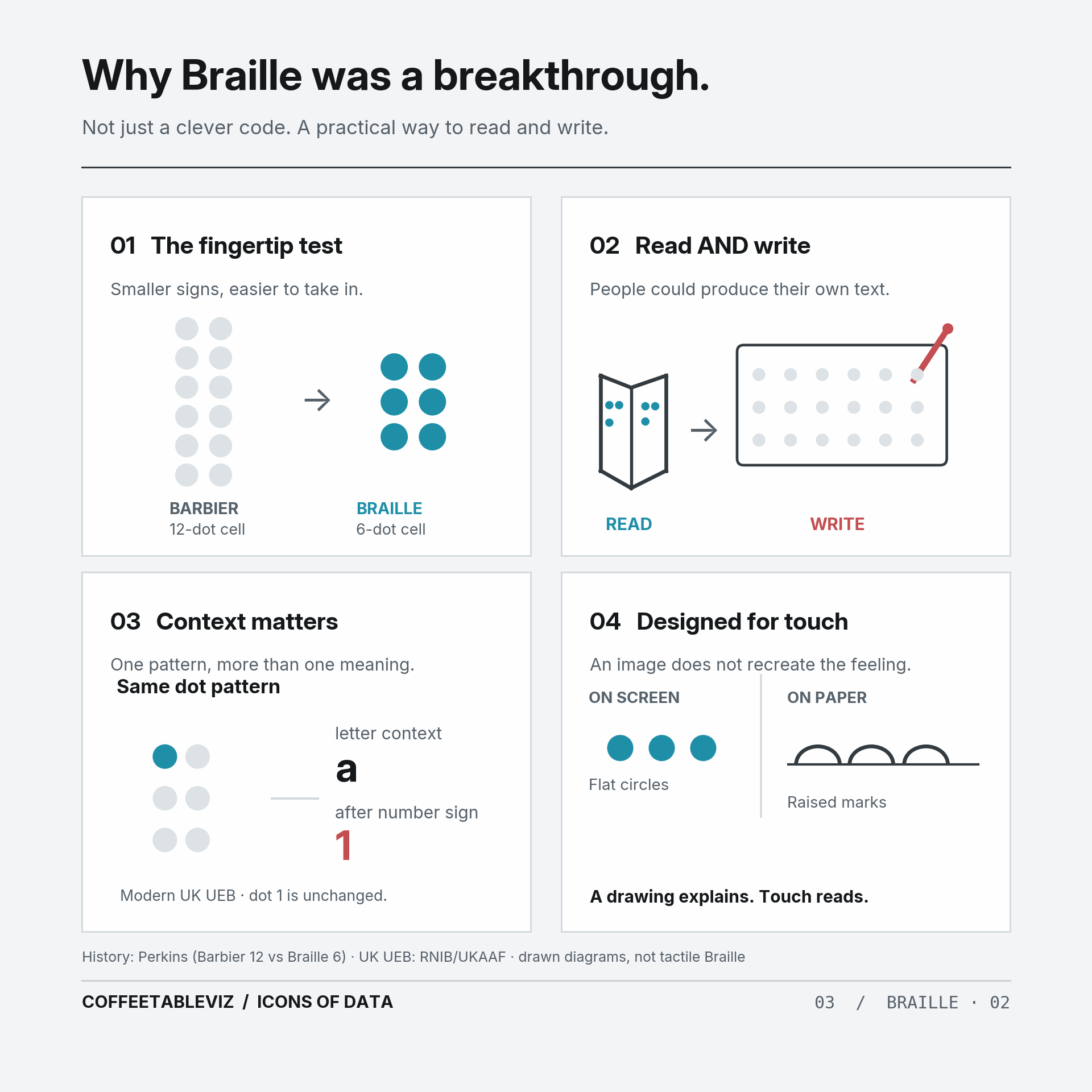
He wasn’t starting from nothing. Charles Barbier had experimented with a larger twelve-dot system. But twelve dots were awkward to distinguish under a fingertip.
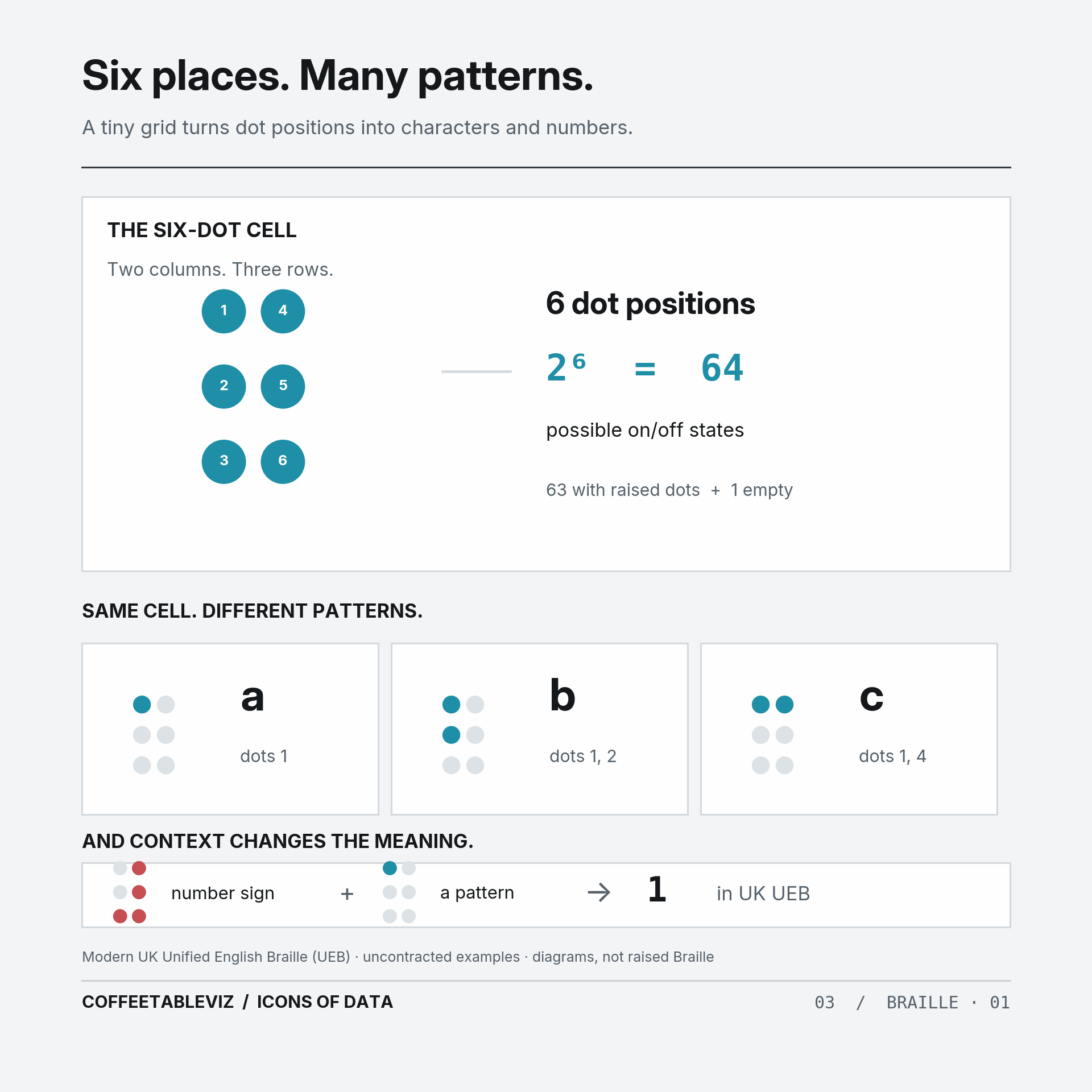
Braille’s answer was a much smaller arrangement: two columns, three rows, six possible dot positions.
From those six positions come 63 different raised-dot patterns, plus the empty cell.
Not bad for a grid you can cover with a fingertip.

Same dots. Different meanings.
The position of a raised dot matters more than how it looks.
In UK Unified English Braille (UEB), a raised dot in the top-left position represents the letter a in an uncontracted example. Put a number indicator before that same pattern, and it represents 1.
The dots haven’t changed. The context has.
And it doesn’t stop at letters and numbers. Braille codes can represent punctuation, mathematics and even music.
The clever thing isn’t simply packing a lot of characters into six positions.
It’s building a system that people can read and write for themselves.
That was a considerable change from earlier raised-print books, which were much harder for readers to produce independently.
Notes, letters and labels no longer had to depend on a printing press. Of course, adoption took time; older raised-letter methods continued for decades.
A picture isn’t the experience
There’s a catch for those of us explaining this on a screen.
An image of Braille isn’t tactile Braille. You can see where we’ve drawn the raised dots, but that doesn’t tell you what it feels like to read them.
And Braille isn’t one universal alphabet with identical rules everywhere. Different languages and codes use patterns and indicators in different ways.
TLDR
Minard made width tell a story. Beck made connections more important than geography.
Braille did something more fundamental: it made information readable and writable through touch.
Six dots. No axes.
Rather a lot to say.
simple charts clear stories.